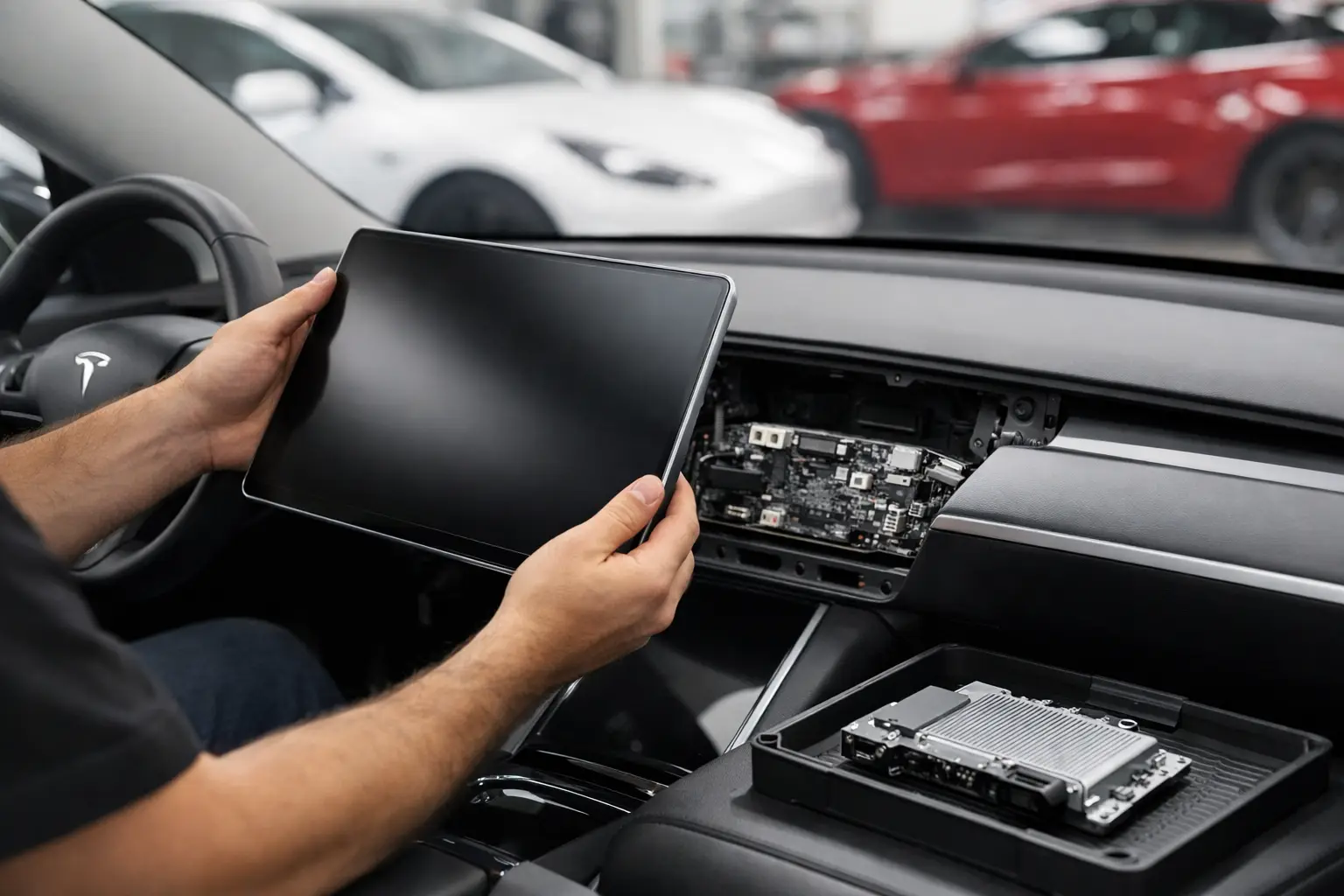
A Tesla car computer replacement is not a routine repair, and it should never be approved based on a frozen screen alone. Your Tesla relies on several electronic control units to manage everything from the center display and charging to driver-assistance features, security, and battery communication. The right repair starts with identifying which module has actually failed and whether software, wiring, power supply, or the computer itself is the cause.
For Tesla owners, this distinction matters. Replacing the wrong unit can create unnecessary cost, while fitting a replacement computer without the right configuration may leave functions unavailable. A proper diagnostic assessment gives you clear answers before any parts are ordered.
What Does a Tesla Car Computer Do?
The phrase car computer can refer to different systems, depending on the model and the fault. The most familiar is the media control unit, often called the MCU. This is the unit behind the center touchscreen, navigation, audio, climate-control interface, reversing camera display, Bluetooth, and many vehicle settings.
Tesla vehicles also use dedicated computers and modules for Autopilot or Full Self-Driving hardware, infotainment connectivity, body controls, battery management, charging communication, and high-voltage system monitoring. These systems share information across the vehicle. That is why one apparent screen issue can sometimes be caused by a low-voltage battery problem, a damaged connector, a software fault, or a communication issue elsewhere on the network.
The practical point is simple: a dark or unresponsive display does not automatically mean the main computer needs replacing. Diagnosis comes first.
Signs You May Need a Tesla Computer Replacement
Some symptoms are more concerning than others. An occasional delayed screen response after starting the car can be a temporary software issue. Repeated faults, loss of critical functions, or warning messages that return after a reset deserve professional attention.
Common signs include a center display that remains black or continually restarts, navigation or audio that will not load, cameras that fail to appear, persistent connectivity loss, charging errors, or driver-assistance warnings. You may also notice that settings do not save, the vehicle takes an unusually long time to wake up, or several unrelated features stop working at the same time.
A reboot can help with minor glitches, but it is not a repair for a failing component. If the same problem returns, make a note of when it occurs, any warning messages shown, whether the car still drives normally, and whether the issue follows charging, updates, cold weather, or long periods parked. These details can make fault-finding faster and more accurate.
Do Not Ignore Safety or Charging Warnings
If your Tesla shows a warning affecting propulsion, high-voltage systems, charging, steering, braking, cameras, or driver-assistance availability, treat it differently from an infotainment inconvenience. Avoid assuming that a screen reset will resolve it. Arrange diagnostics promptly and follow any vehicle warning instructions.
A vehicle that will not select gear, will not charge, repeatedly loses camera visibility, or displays a red warning should not be driven until its condition has been assessed. Electronic faults can be intermittent, but that does not make them harmless.
Why Accurate Diagnosis Saves Money
Modern Teslas are highly software-dependent, but software is only one part of the picture. A capable technician will check stored fault codes, module communication, power and ground supplies, low-voltage battery condition, relevant wiring, connectors, and the vehicle’s software state. This process helps separate a failed computer from a supporting fault.
For example, a weak 12-volt or 16-volt low-voltage battery can cause strange electrical behavior across multiple systems. Water ingress, accident damage, rodent-damaged wiring, or corrosion at a connector can also interrupt communication with a module. Replacing a computer before checking these causes may not solve the problem.
There is also a difference between a repairable issue and a full replacement. Depending on the module and fault, a specialist may be able to address a connector, power supply, display-related concern, or software configuration issue without replacing the entire unit. That is not always possible, but it is worth establishing before committing to the most expensive option.
What Happens During Tesla Car Computer Replacement?
Once testing confirms the faulty unit, the repair plan should be explained in plain language. You should know which module is affected, why replacement is recommended, what part is being fitted, and whether additional programming or calibration is required.
The vehicle may need to be safely powered down before work begins, particularly where high-voltage systems or sensitive electronic networks are involved. The old component is removed carefully, related connectors and wiring are inspected, and the replacement unit is installed according to the correct procedure.
The job does not end when the new part is physically fitted. Many Tesla modules need configuration, pairing, coding, software setup, or functional checks before all features operate correctly. Depending on the system involved, technicians may need to verify touchscreen operation, vehicle communications, cameras, audio, connectivity, charging behavior, warning lights, and driver-assistance functions.
Some vehicle functions, software releases, or security-related provisioning may require Tesla-authorized systems or Tesla’s own support. A trustworthy independent garage will be clear about that limitation rather than promising access it does not have. The goal is a correct repair path, not an overconfident guess.
Cost Factors to Understand Before You Approve Work
There is no single price for a Tesla computer replacement because the parts and labor vary significantly by model, model year, computer type, fault cause, and required post-repair setup. A display-related module is a different job from an Autopilot computer or a control unit connected to battery and charging systems.
The source and condition of the replacement part matter too. A new genuine part may offer the clearest compatibility route but can cost more. A tested used or refurbished unit may reduce the upfront bill in certain cases, but compatibility, software support, history, warranty coverage, and correct configuration must be considered carefully.
Ask for an itemized estimate that separates diagnostics, parts, labor, programming or calibration, and any additional repairs found during inspection. This makes it easier to compare options fairly. The cheapest estimate is not always the best value if it omits setup work that is essential for the vehicle to operate properly.
Questions Worth Asking Your Repairer
Before authorizing a major electronic repair, ask what evidence confirms the computer has failed and whether power supply, wiring, and low-voltage battery condition have been tested. Ask whether the quoted part is new, refurbished, or used, and whether it is compatible with your specific Tesla configuration.
You should also ask what functions will be tested after installation, whether software configuration is included, and what warranty applies to both the part and workmanship. Clear answers are a good sign that the garage has a structured process rather than simply swapping parts.
At AutoNet VIP, advanced diagnostics are approached as a fact-finding service, not a sales tool. For drivers in Harlow and the surrounding area, that means a clear explanation of the fault, the available repair options, and the likely cost before work moves forward.
Can You Keep Driving With a Faulty Tesla Computer?
It depends entirely on the affected system. If the only symptom is an intermittent infotainment issue and the vehicle has no safety, charging, or driving warnings, it may remain usable for a short time. Even then, book an inspection soon, because the screen controls access to important vehicle settings and camera views.
If the fault affects charging, cameras, warnings, power delivery, braking-related messages, steering, or driver-assistance systems, do not treat it as a convenience issue. Driving with reduced information or an unresolved vehicle warning can put you at risk and may lead to a more complicated repair.
The best next step is not to guess from a single symptom. Get the fault properly diagnosed, keep a record of the messages and behavior you have seen, and approve replacement only when the evidence supports it. That approach protects both your Tesla and your budget.